Workflow · Slideshows
Batch a week of slideshows with an agent
One prompt in. A week of carousels out.
This workflow turns a rough idea into a week of TikTok carousels, ready to post. Because making short-form content is a loop, not a task. You study what worked, find the right visuals, write the copy, place the text, render it, and post it. Then you do the whole thing again tomorrow. The repetitive part is exactly what agents are good at. The creative part still needs a human's taste to anchor it.
So this creator, a supplement and body-recomposition account growing on TikTok, hands the loop to a small stack of tools. Claude Code runs the show. It pulls anchor photos from Pinterest, has Codex CLI generate the filler images, and drives the Post Ripple MCP server — the way AI assistants connect to apps — to compose the carousel and drop it into TikTok as a draft. The person sets the direction, keeps the taste, and taps post.
The part worth sitting with: this used to be about 30 minutes of manual work per carousel. It's now about five, and it scales as wide as you want to point it. Here's exactly how the loop runs.
The output
A carousel like this, in a couple of minutes.
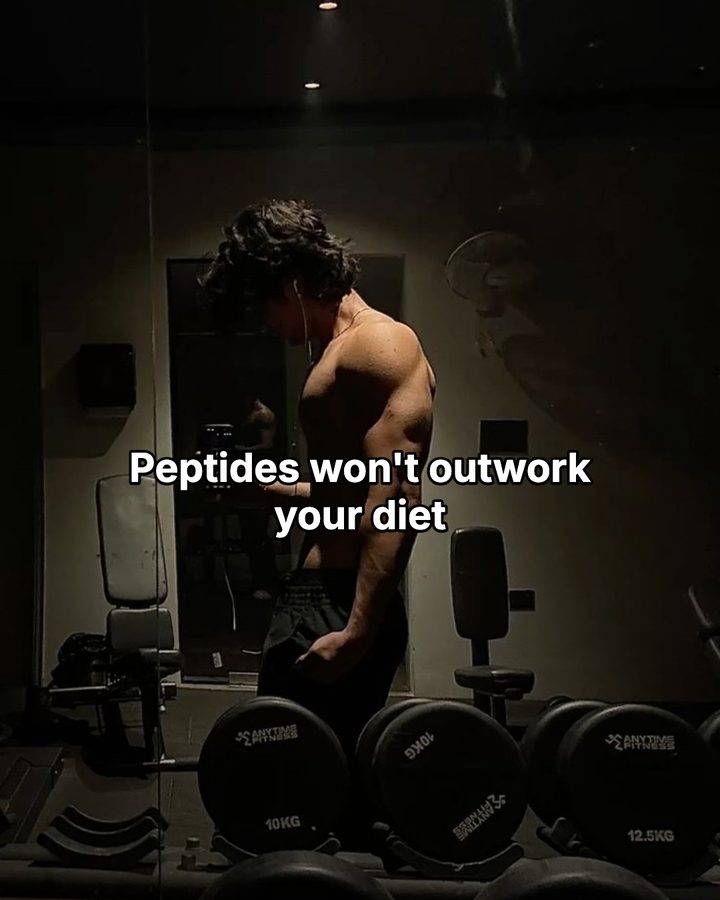
A real photo does the heavy lifting, and a short, outlined caption rides on top. Every slide is one background plus one line of text. Swipe from the hook to the payoff.
 1 / 5
1 / 5  2 / 5
2 / 5 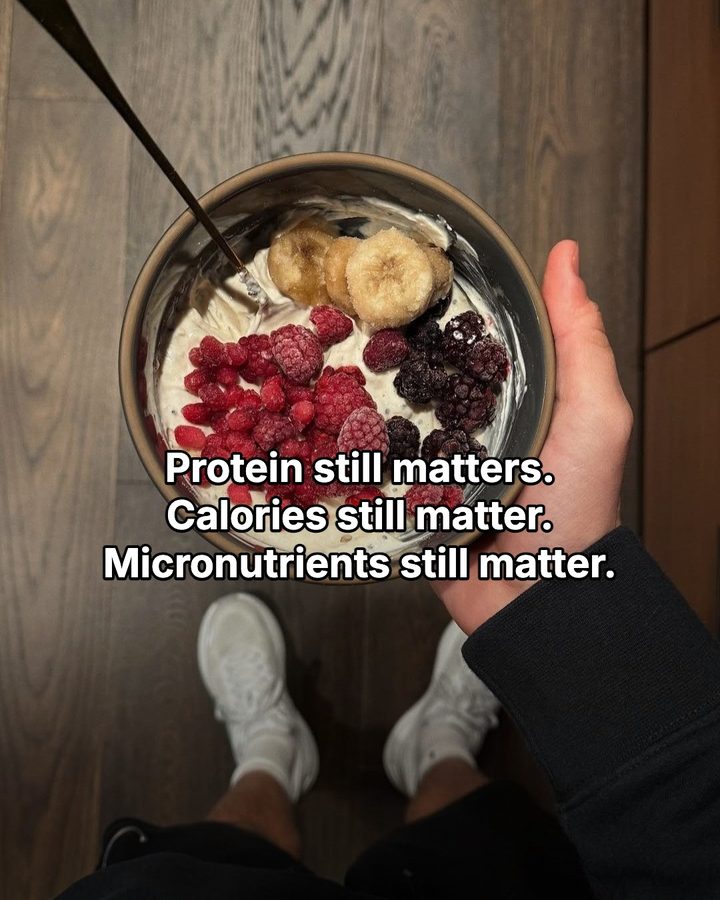 3 / 5
3 / 5 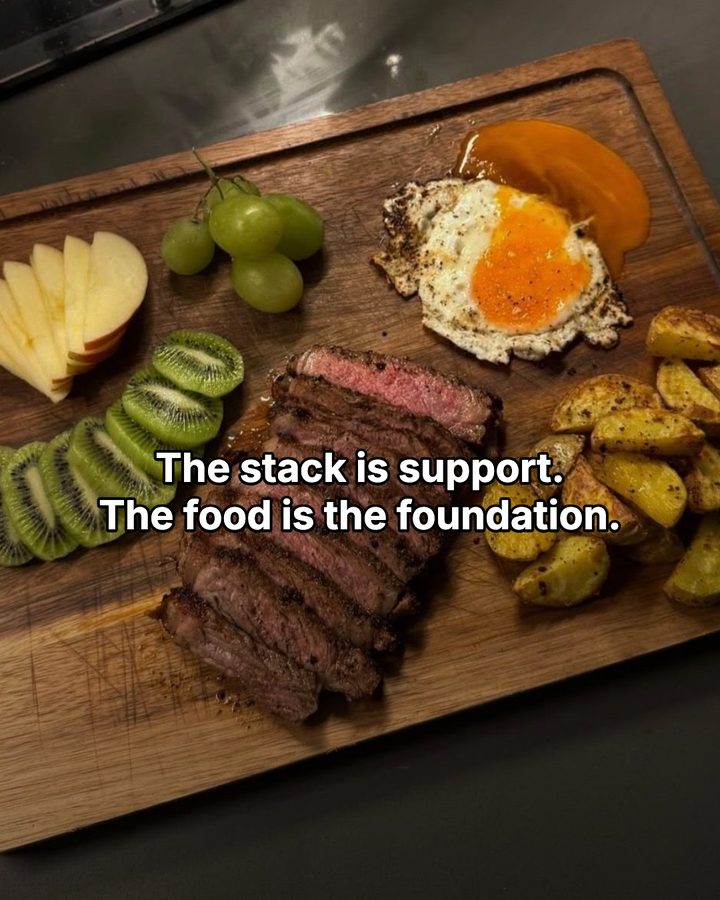 4 / 5
4 / 5 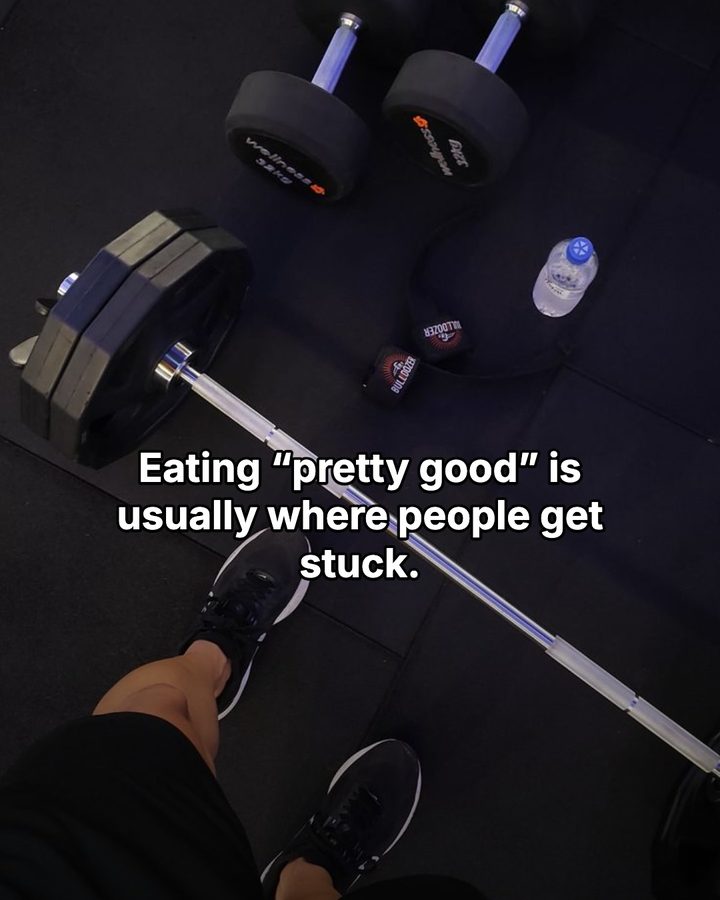 5 / 5
5 / 5 A real carousel from the account, and its best-performing post. Every slide is one photo the agent sourced plus one outlined line.
The stack
Four tools, one job each
Nothing here is exotic. Claude Code is the only thing you talk to. It reaches for the other three as each slide needs them, so the whole thing runs from one conversation.
Orchestrates
Claude Code
The brain. You brief it in plain language and it runs the whole loop, deciding what each slide needs and calling every other tool.
Anchor photos
Where the real hero shots come from. Imported by URL, cropped to canvas, and filed in your library.
Filler images
Codex CLI + gpt-image-1
Generates on-brand concept backgrounds for the slides a photo can't cover.
Builds + routes
Post Ripple MCP
Composes the structured carousel, renders it, and pushes it to TikTok as a draft to post yourself.
Step one
It starts with what already worked
Before writing a single new slide, the agent pulls the last few posts and reads them back. Not just the images, but the exact fonts, text placement, and overlays that were used. It isn't guessing at a look. It's matching a proven one. That's why the tenth carousel feels like it came from the same hand as the first.
Step two
Anchor photos, then filler
The background is the post. A single carousel usually mixes all three sources: a Pinterest anchor carries the cover and the strongest slides, Codex CLI generates filler for the concept slides in between, and anything reused comes straight from your library.
Anchor photos
Pinterest for the hero shots
The cover and the strongest slides ride on real, textured photos. Claude Code searches Pinterest for the right POV or gym-mirror look and imports the pin straight from its URL. It crops the photo to the canvas, tags it, and files it in your library. Next week, reusing it is a one-liner.
Filler images
Codex CLI generates the rest
For concept slides like a rack of plates, a clean meal flatlay, or a scale on the floor, Claude Code hands the prompt to Codex CLI, which renders a filmic, on-brand background with gpt-image-1. No stock-photo hunt, no licensing, and it drops straight into the same pipeline.
Reuse
Your own library first
The agent can search everything you've uploaded. Before sourcing anything new, it checks what you already own. It describes what it wants, like “moody gym mirror selfie, dark,” and gets back the closest matches, ranked. Reuse keeps the whole account looking like one person made it.
Step three
Where the taste actually lives
Anyone can drop text on a photo. The difference is where. The agent reads each image and places the caption in its quiet zone, like the dark ceiling above or the plain floor below, so the words never cross a face or the focal point. Here's the same photo as two very different posts.
Because the copy stays as real text and isn't baked into the pixels, you can still open any slide in the web editor and tweak a word before it ships.
Step four
Render, then send it to drafts
Templates render on Post Ripple's side, pixel-identical whether a human or an agent made them. Then comes the deliberate part. Instead of auto-publishing, the agent drops the finished carousel into your TikTok app inbox as a draft. Fully automated posting through any API can quietly cap your reach, so you open the app and tap post yourself. The upload reads as native, and the agent still did everything up to that last tap.
Do that for seven ideas and next week is stacked up and ready. Every publish is tagged, so a retry never becomes a double-post. And every action lands in your audit trail.
Peek under the hood
// Compose the slide. Real text fields, still editable in the web editor.
create_slideshow({
  templateId: "outline-pop",
  slides: [{
    imageId: "img_gym_mirror_dark",   // a Pinterest anchor or a generated filler
    textFields: [{ key: "headline",
      text: "5 habits\nthat actually moved the needle",
      style: { treatment: "outline", fontScale: 0.62, x: 0.5, y: 0.3 } }],
    overlay: { direction: "top", opacity: 0.42 }
  } /* one per slide */ ]
})

// Push it to the TikTok app inbox as a draft — you tap post yourself.
publish_slideshow({
  slideshowId: "ss_new",
  targets: [{ accountId: "acct_tiktok", settings: { postMode: "inbox" } }],
  idempotencyKey: "week32-recovery"
})
The same studio, whether you build by hand or your agent does.
The taste layer
Four rules that keep it on-brand.
The agent does the labor, but it works from a tight brief. The same rules, learned from posts that actually performed, apply to every carousel.
The photo is the hero
A real, textured photo carries the post. The text is a caption laid on top, never a flat color block. Generic backgrounds read as generic content.
Outline, not shadow
White fill with a thin black stroke stays legible over any busy photo, whether that's a bright ceiling or a dark torso. It's the single most reliable treatment.
Scale the text down
Oversized type shouts. The posts that land keep the headline modest so it sits inside the image instead of smothering it.
End on the payoff
The last slide loops back to the reason to act. The story earns the ask, and the ask closes the story.
Make it repeatable
Write it down once. Reuse it forever.
The real unlock isn't any single carousel. It's that the whole loop is stable enough to hand off. Once you've dialed in the steps and the taste rules, they fit in a short brief you paste to your agent. Every future batch starts from the same place.
That's what turned 30 minutes into five, and it's what makes it scale. The brief on the right is the actual shape of it.
Batch this week's TikTok slideshows.

1. Read my last few posts and match their style: fonts,
   text placement, overlays, voice.
2. For each idea, source backgrounds:
   - anchor / cover -> Pinterest, imported to my library
   - concept / filler -> generate with Codex CLI (gpt-image-1)
   - reuse anything that already fits from my library
3. Compose each carousel with create_slideshow. Outlined
   caption, scaled down, placed in the photo's quiet zone.
4. Render, then publish_slideshow to TikTok with
   postMode: "inbox" so it lands in drafts. I'll tap post.

Rules: photo is the hero, end on the tracking payoff,
never auto-center text over a face.
Common questions
Running Post Ripple with an agent
Can an AI agent run my social media posting?
Yes. Post Ripple ships an official MCP server, so an AI agent can create slideshows, write captions, schedule posts, and read your analytics. You set the direction and approve the work, and the agent handles the repetitive parts.
How does an AI agent make a TikTok slideshow carousel?
It studies your recent posts to match your style. It finds a background — from Pinterest, from your image library, or by generating one. Then it places an outlined caption in the quiet part of the photo, renders the slides, and pushes the finished carousel to your TikTok drafts for you to post.
What tools does this workflow use?
Claude Code orchestrates the whole loop in plain language. Pinterest supplies the anchor photos. Codex CLI generates filler images with gpt-image-1. Post Ripple's MCP server composes the structured carousel and pushes it to TikTok as a draft. Any MCP-capable client works in place of Claude Code, including Codex and opencode.
Does automating TikTok posts cause a shadow ban?
Auto-publishing through any API can dampen reach, so this workflow avoids it. The agent builds the carousel and drops it into your TikTok app inbox as a draft. You open the app and post it by hand, which keeps the upload looking native while the agent still does all the work leading up to it.
Can I hand this whole workflow to my agent?
Yes, that's the point. The steps are stable enough to write down once as a short playbook and reuse. You give your agent the brief and the style rules, and each new batch is one prompt away.
Do I need to know how to code?
No. You talk to your agent in plain language. The code samples on this page only show what the agent runs for you behind the scenes.